


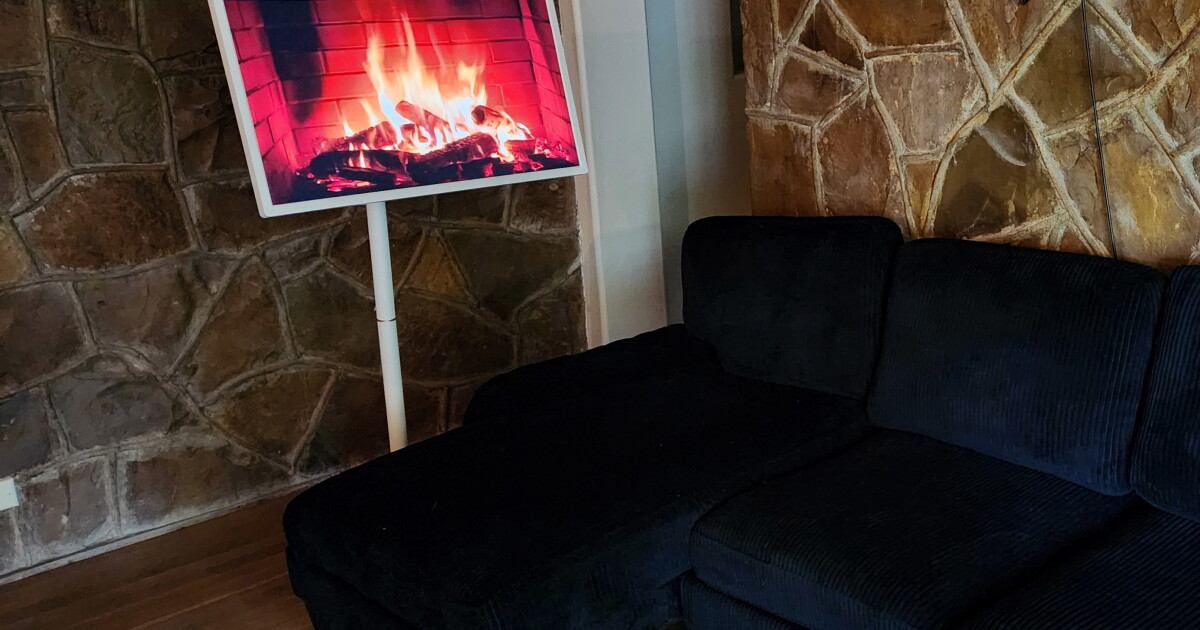
To call the Apolosign 32-inch Portable Smart TV a “TV” isn’t really doing it justice. It’s actually a 32-inch Android 16 LCD tablet on wheels that has full Google Play Store compatibility. Pretty much anything you can do with an Android tablet or phone, you can do with the Apolosign, and in my opinion, that makes it way cooler than just a “TV.”
I’ve had it rolling around my house for the last few months now, and as advertised, it’s super portable. I have seamless hardwood floors, so there’s zero issues going from one room to the next – to the kitchen so the wife can read recipes while she tries making a new dish, to the dining room where the kids play games on it or doom-scroll YouTube Kids, over to my desk to run it as a second monitor to my laptop … you get the point. I have to carry it, though, if I want to take it to the garage, as the walkway outside is too bumpy for the little wheels.
JS @ New Atlas
If you have thresholds or transitions from hard flooring to carpet, you’re going to want to make sure you have a good hold on it, as it’ll be a little tippy. The 219-Wh of 18650 batteries are in the base, but the 32-inch screen is almost equally heavy. In all, it weighs about 48 lb (22 kg) – not something you want to chuck onto the floor. If it falls over, it’s done for, for sure. Under regular usage, it’s pretty stable, even with the three-year-old playing with it.

Apolosign
Something to take note of: if you wanted to use it without the stand, you’ll need to VESA-mount (100×100) it to something, as it has no legs. The base charging cable also works when you plug it directly into the screen.
The Apolosign comes in two flavors: a US$819 3840 × 2160 4K UHD version with 256 GB of storage and a $719 1920 × 1080p version with 128 GB of storage. Both are listed as 16 GB of RAM, but interestingly, it’s listed as 8+8, which means it’s probably 8 GB of RAM and 8 GB of virtual memory. Realistically, 8 GB should be plenty anyway. I haven’t had any issues multitasking with it.
It uses a Rockchip RK3576 octa-core CPU and Mali-G52 MC3 GPU, making it pretty mid-tier in terms of Android tablet specs.

JS @ New Atlas
It also comes with an 8-MP webcam that mounts onto it, connected via USB-A, which opens up video call capability and the like. I briefly tried it out, and it worked great, before I removed the camera (tin foil hat guy over here). You get two USB-A ports, one USB-C, and one HDMI to tinker with.
Apolosign says it’ll run up to six hours on a charge at 50% brightness. I’ve been getting around 3.5 hours during the day with full brightness on. If you kill off the battery entirely, it takes about 2.5-3 hours to charge back up. Longer if you’re still using the TV.
At 300 nits, the screen is perfectly fine indoors, but not really all that great outside in the sunlight.
The remote control is probably the Apolosign’s weakest point. It connects to the TV via Bluetooth and is almost a 1-to-1 replica of my Samsung soundbar remote. And I say weakest, because it often disconnects and because you’ll still have to physically touch the screen to kill apps or open new ones. There is voice control for Google/Gemini, however, so that’s a plus.

JS @ New Atlas
As for actual picture quality … it’s not fantastic if you’re trying to watch the director’s cut of The Lord of the Rings, but it’s perfectly adequate if you’re playing games or watching cat videos on YouTube.
The 60 Hz, 10-point touch panel is edge-lit, which is the less-expensive way of lighting the LCD panel, and the lighting isn’t perfectly uniform across the screen. On the plus side, the viewing angle is pretty wide at 178 degrees, so even four people wide, taking turns playing games, will all see the screen just fine. Which is interesting, because most of the literature on Apolosign’s site says it’s a VA panel, which aren’t known for having a wide viewing angle.
On the other hand, IPS displays do … and Apolosign also lists the panel as IPS on some pages. So which is it exactly? I’m betting on IPS. Either way, Apolosign lists 3,000:1 contrast on the 4K screen and 1,200:1 on the 1080 display consistently across its spec sheets … which sounds unusually high if it is indeed a 4K IPS display.
The screen can tilt 20 degrees up or down, swivel right and left 15 degrees, and even rotate 90 degrees into portrait mode. It also adjusts 7.09 inches (180 mm) in height, so getting it into that perfect spot for whatever you’re up to is pretty easy.

JS @ New Atlas
Something to consider: 32 inches is pretty dang big for a touch screen. If you’re an Android user and you use gestures for navigation, it’s no longer a simple thumb movement – it’s more like a throwing-a-Frisbee movement to back out of apps or pull up background apps, change pages, etc.
It has dual 5-watt speakers for sound. They sound like run-of-the-mill cheap speakers. You’d struggle to hear it in a busy restaurant, and if you turned it up to max, it’ll start clipping and distorting. Audio isn’t a strong point in the Apolosign, but if you’re at home, hanging out with the family, it’s adequately loud and clear to watch a movie on. Plus, you can always just connect a Bluetooth speaker, because after all, it’s a still just a very capable Android device with a giant screen.
It’s definitely fun to have around the house, for sure, but I could see this being properly useful for trade shows, office presentations, or even at schools for lessons. Anyone remember the big, bulky TV carts with the VHS players when you were a kid at school?
Product page: Apolosign
New Atlas may receive commission if you purchase through our links. This does not affect our reviews as our opinions remain our own.

